
Written by:
Devansh Tripathi
Published in:
October 12, 2025
Read Time:
14 minutes
Categories:
Customer Success
Top 10 alternatives to Planhat in 2026
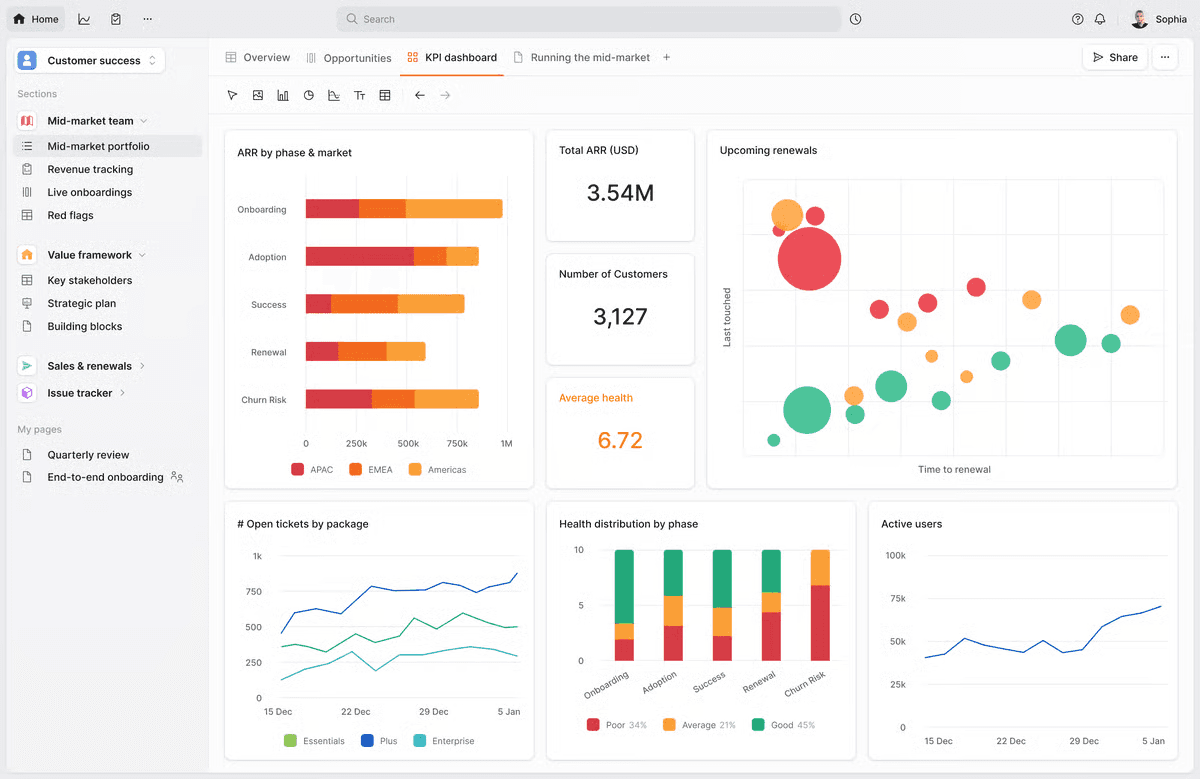
Planhat has built its reputation on beautiful design and enterprise-grade customization. But as CS teams look for platforms that don't just display data but act on it, the cracks start to show. Most CS platforms - Planhat included, give you the tools to analyze customer health, create workflows and set up health scores. The best CS teams need platforms that automatically act on that health data.
That requires more than dashboards and custom fields. It requires AI that takes action: auto-enriching CRMs, flagging competitor mentions, spotting expansion signals, and turning customer data into automated workflows without requiring a CS Ops team to configure everything.
Planhat offers powerful customization with no per-seat pricing - a rare combination that appeals to mid-market and enterprise teams. The platform consolidates usage data, health metrics, and revenue insights into a sleek interface. But this power comes with tradeoffs: 8-16 week implementations, CS Ops expertise requirements, and increasing performance issues as your data grows.
Why teams choose Planhat
Beautiful + Powerful: Rare combination of sleek UI and enterprise functionality
Deep Customization: Tailor everything to match your exact CS process
No Per-Seat Pricing: Predictable costs as your team scales
Unified Intelligence: Product usage, revenue, and engagement in one model
Exceptional Support: Planhat's team is genuinely invested in outcomes
CS Ops-Friendly: Built for teams treating CS operations strategically
Why teams outgrow Planhat
Requires CS Ops Expertise: Can't extract full value without dedicated operations resources
Long Implementation: 8-16 weeks to get productive, often longer for complex setups
Premium Pricing: $60k-$180k annually prices out smaller teams
Performance Issues: Page loads slow significantly with large datasets
Company-Centric Data Model: Requires building automations to sync data across objects which is very unintuitive especially if companies want a single source of truth for their data.
Manual Intelligence: You analyze the data; the platform doesn't act on it for you
Platform Comparison: What Sets HQ1 Apart
Capability | HQ1 | Planhat | Gainsight | Vitally | ChurnZero | Totango |
|---|---|---|---|---|---|---|
AI Agents (not just insights) | ✅ Auto-acts on data | ❌ Manual workflows | ❌ Manual workflows | ❌ Manual workflows | ❌ Manual workflows | ❌ Manual workflows |
Automatic CRM Enrichment | ✅ From all conversations | ❌ Manual entry | Partial | ❌ Manual entry | ❌ Manual entry | ❌ Manual entry |
Pre-built Intelligence | ✅ Works out of box | ❌ Requires configuration | ❌ Heavy config | ❌ Requires setup | Partial | Partial |
CS Ops Required | ❌ | ✅ Required | ✅ Required | ❌ | Helpful | Helpful |
Implementation Time | 4-10 days | 8-16 weeks | 3-6 months | 2-4 weeks | 3 months | 2-4 months |
Pricing | On request | $60k-$180k/yr | $100k+/yr | On request | $28k-$75k/yr | $50k-$150k/yr |
Beautiful UI | ✅ | ✅ Best-in-class | ❌ | ✅ | ✅ | Moderate |
Best For | Revenue-focused CS without ops burden | Ops-heavy teams wanting customization | Large enterprises | PLG SaaS | Mid-market automation | Salesforce-centric orgs |
HQ1
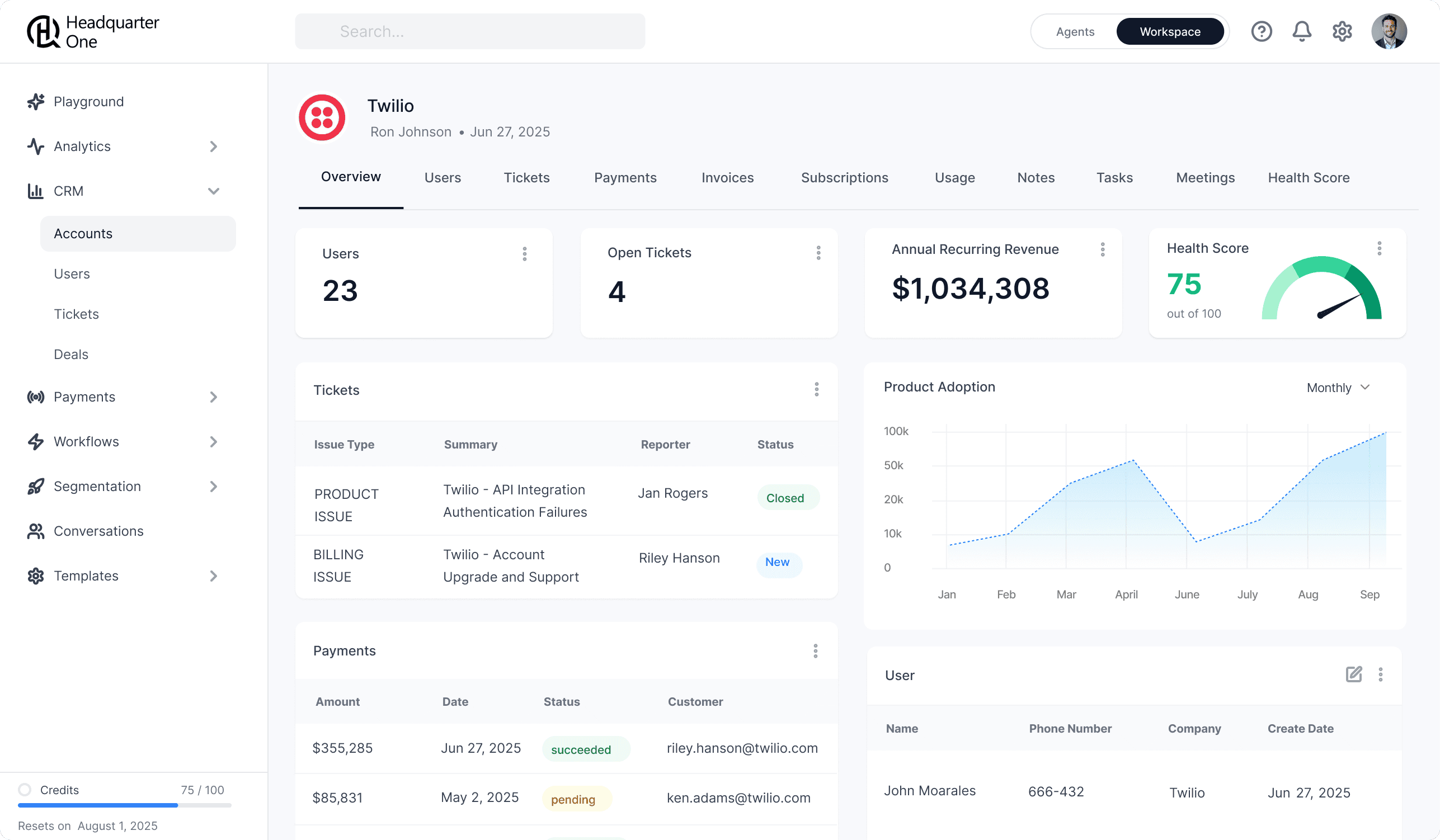
HQ1 delivers the intelligence Planhat promises but automates what Planhat makes you configure manually. While Planhat gives you tools to build health models and workflows, HQ1's AI agents work immediately—detecting expansion signals, flagging competitor mentions, and enriching CRMs without CS Ops resources. Best for teams wanting Planhat's sophistication without the operational burden.
What Makes HQ1 Unique
AI That Acts, Not Just Reports: Agents automatically populate CRM fields from conversations, detect competitor mentions across all channels, predict churn using product + sentiment signals, and flag expansion opportunities without manual rules.
4-10 Day Implementation: Get productive immediately with pre-built AI agents vs. Planhat's 8-16 week setup.
No CS Ops Team Required: Intelligence without the operational overhead. What takes Planhat weeks to configure works out of the box.
Revenue + CS Unified: Built for CS as a revenue function, not just a data repository.
How it Compares to Planhat
Planhat is data-centric; HQ1 is intelligence-centric. While, Planhat shows you beautiful dashboards of customer health; HQ1's AI automatically acts on that data - updating CRMs, alerting teams, creating tasks. Planhat requires CS Ops to configure everything; HQ1's pre-built agents work immediately. If you want customization and have ops resources, Planhat wins. If you want intelligence without the burden, HQ1 wins.
Drawbacks
Newer platform means smaller community than Planhat's established user base
AI effectiveness depends on clean data and integrations
Pricing customized vs. Planhat's transparent tier structure
Best Suited For
Mid-market to enterprise teams wanting sophisticated CS intelligence without dedicating resources to configuration and maintenance.
Pricing
Available on request
Implementation Time :
4-10 days
2. Gainsight
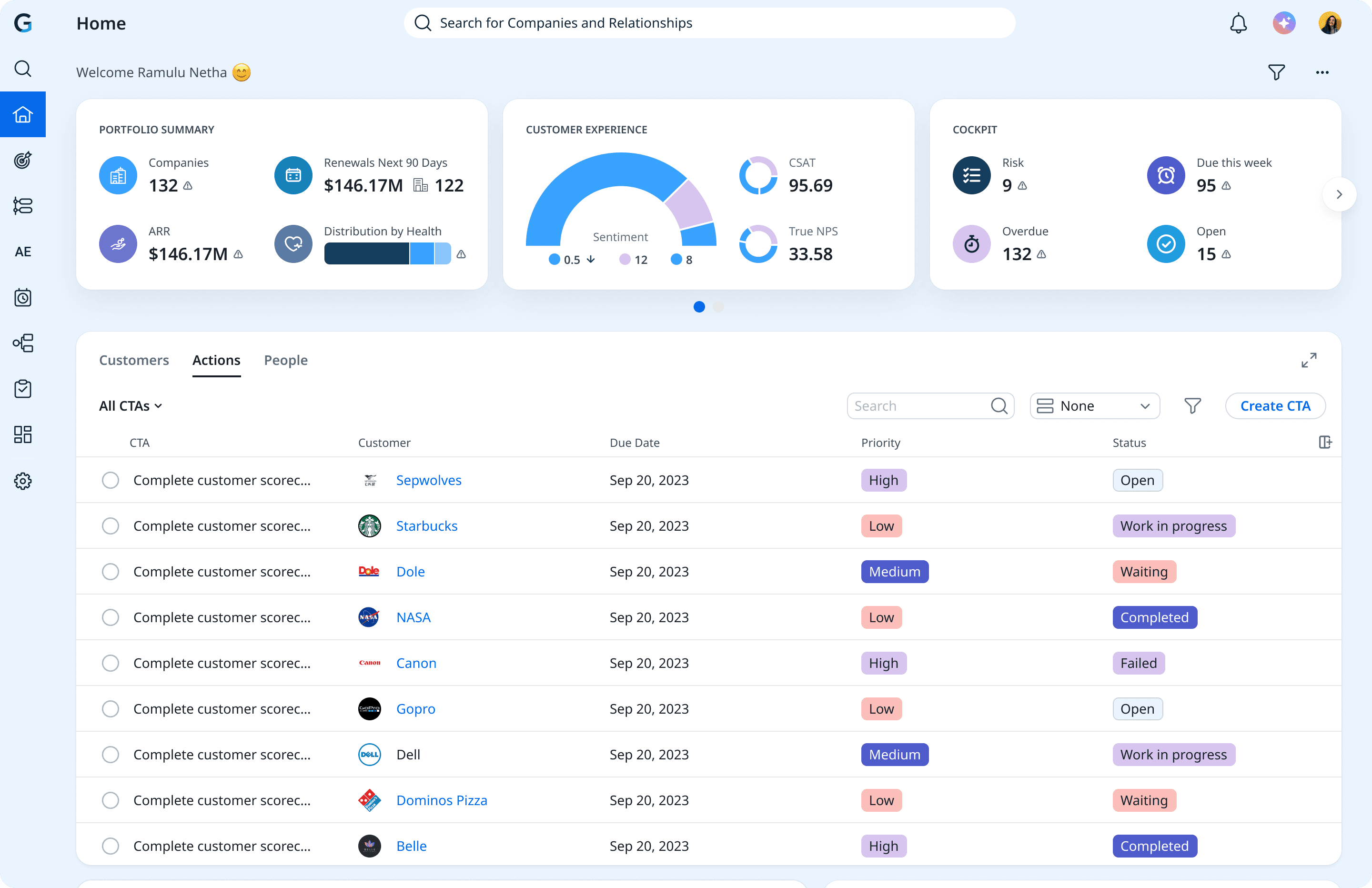
Gainsight is the enterprise heavyweight with every feature imaginable. Where Planhat offers customization with reasonable implementation time, Gainsight offers even deeper customization with enterprise governance at the cost of 3-6 month implementations and $100k+ pricing. Best for large enterprises that have outgrown Planhat's scalability.
What Makes Gainsight Unique
Enterprise Governance: Multi-layered approvals, role-based permissions, complex workflows that Planhat can't match at scale.
Journey Orchestrator: Design complex customer journeys with branching logic and multiple touchpoints.
Massive Community: Years of market presence mean extensive templates, best practices, and peer support.
SQL-Level Reporting: Build virtually any report imaginable with deep reporting capabilities.
How it Compares to HQ1
Gainsight trades Planhat's speed for maximum control and governance. HQ1 delivers intelligence in 4-10 days with pre-built AI; Gainsight takes 3-6 months but gives you enterprise-grade customization. Gainsight is tools to build workflows; HQ1 is intelligent workflows that adapt automatically. Choose Gainsight for governance at scale; choose HQ1 for intelligence without ops burden.
Drawbacks
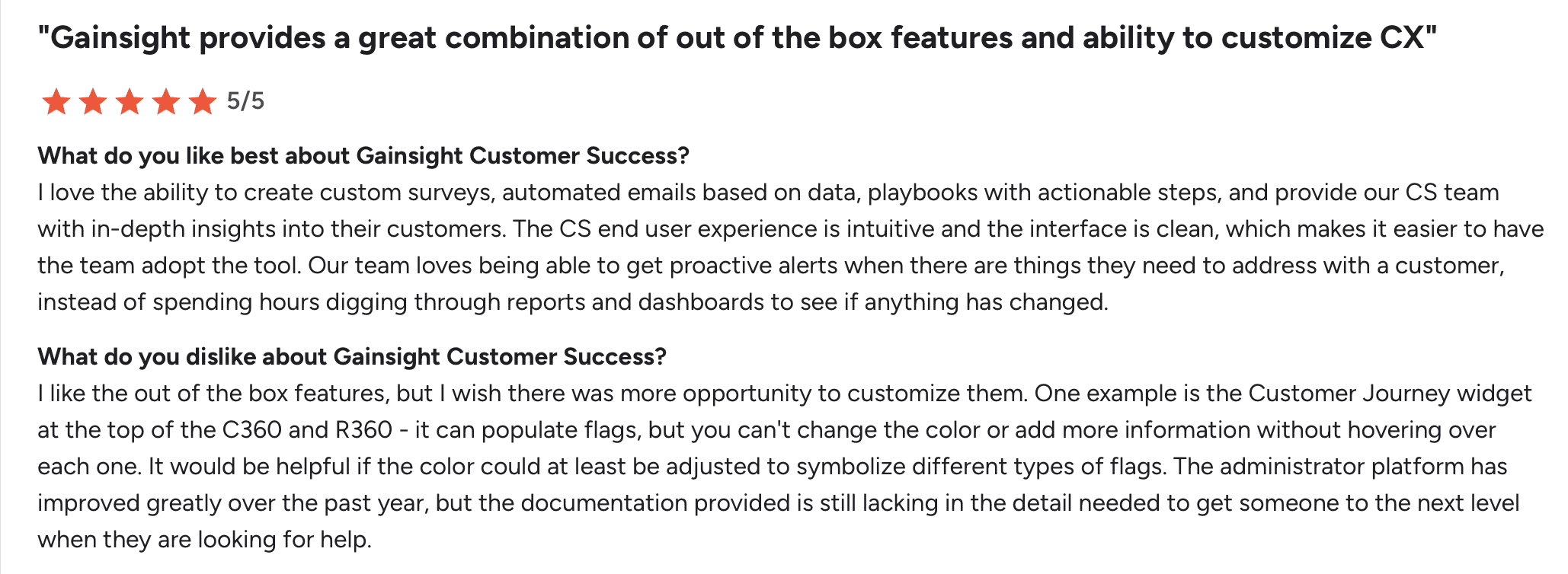
$100k+ annually, significantly more expensive than Planhat
Requires multiple CS Ops people to implement and maintain
Reports can take 30+ seconds to load with large datasets
Recent Salesforce integration issues creating data problems
Support quality declined following workforce reductions
Best Suited For
Large enterprises (100+ CSMs, thousands of accounts) needing governance controls and managing complex multi-product portfolios.
Pricing
$100k+/year
Implementation Time
3-6 months minimum
3. Vitally

Vitally is built for product-led growth where product usage drives everything. Where Planhat excels at consolidating diverse data sources, Vitally specializes in making product analytics actionable for CS teams. Best for PLG companies where Planhat's broader enterprise focus feels like overkill.
What Makes Vitally Unique
Custom Objects: Create data models to track anything—API calls, integrations, custom milestones. More flexible than Planhat's fixed schema.
PLG-First Design: Built specifically for freemium/trial models where product usage predicts expansion.
In-App NPS: Built-in surveys triggered by product behavior, not just time intervals.
Two-Week Trial: Test before committing—rare in enterprise CS software.
How it Compares to HQ1
Vitally shows what customers do in your product; HQ1's AI understands why they're doing it and what it means for revenue. Vitally requires manual interpretation of usage patterns; HQ1 automatically detects expansion signals, churn risks, and competitor threats across all interactions. Vitally is product-centric; HQ1 is intelligence-centric.
Drawbacks
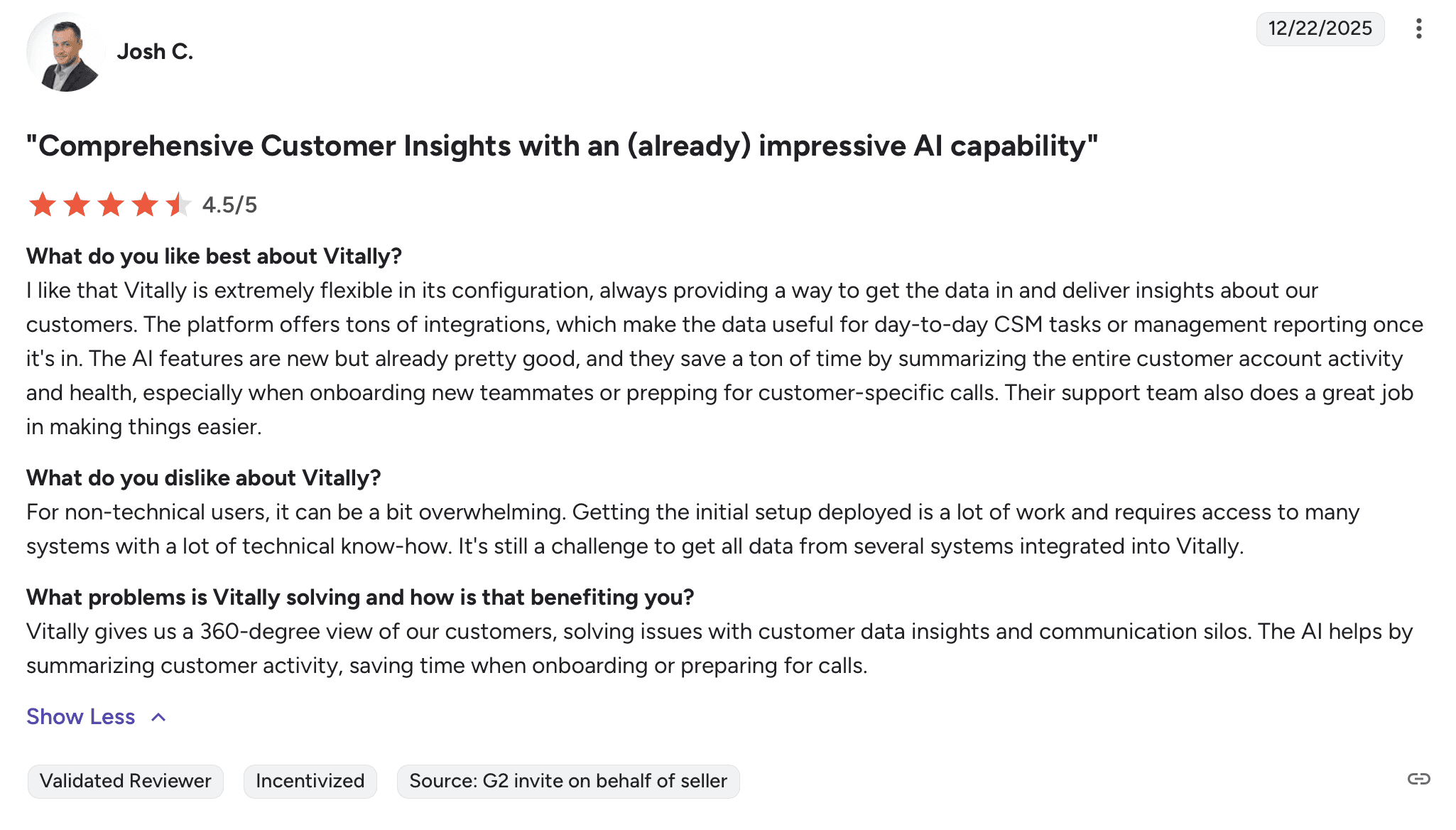
Only single account owners—dealbreaker for enterprise accounts
Technical setup despite plug-and-play reputation
AI features expensive for limited outcomes
Bi-directional sync gaps for core integrations
Best Suited For
PLG startups and mid-market SaaS where product usage is the primary health indicator and CS works closely with Product teams.
Pricing
On request
Implementation Time
2-4 weeks
4. ChurnZero
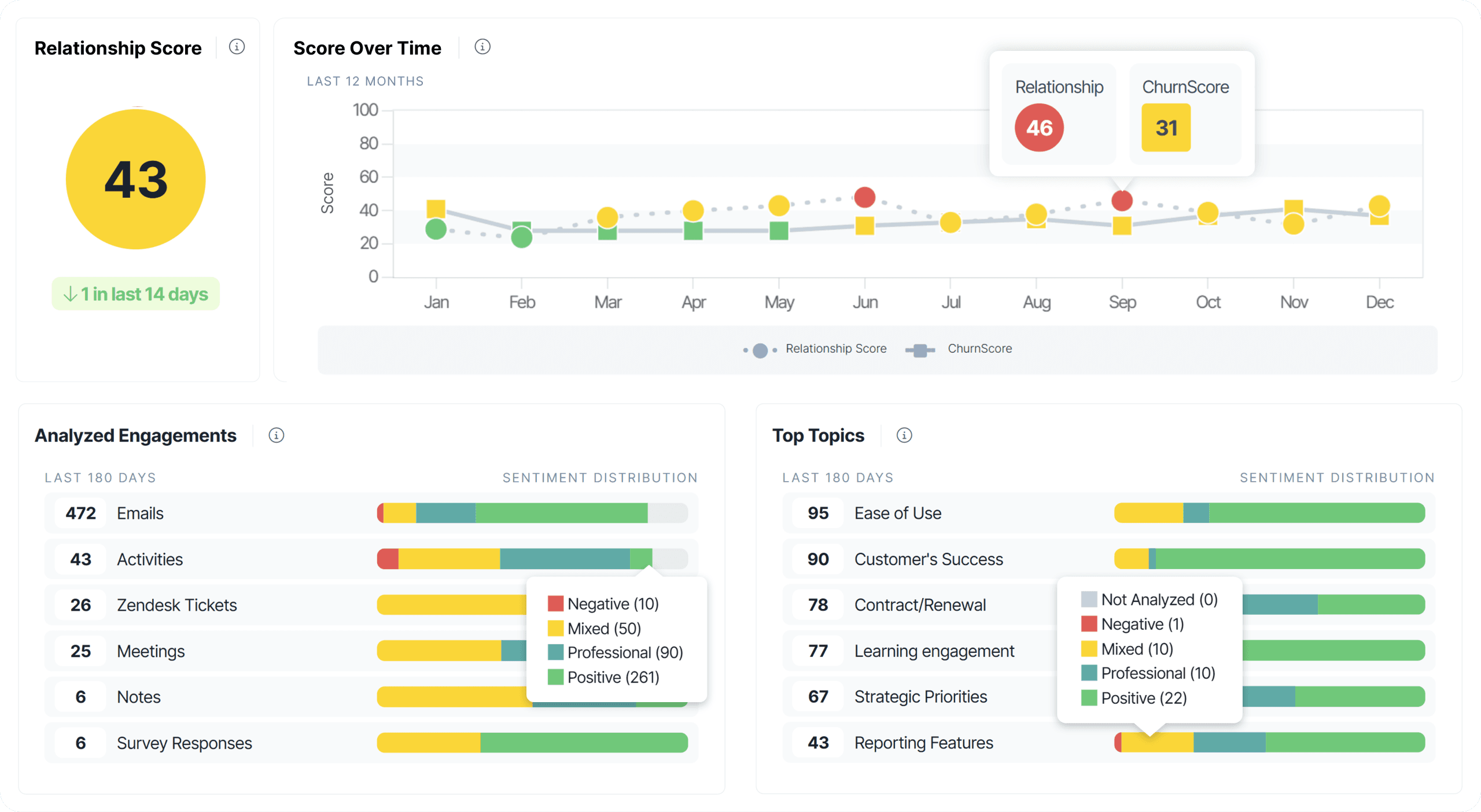
ChurnZero offers the best playbook automation in the industry without Planhat's customization complexity. Where Planhat lets you build anything, ChurnZero focuses on making proactive CS workflows intuitive and powerful. Best for teams wanting sophisticated automation without requiring CS Ops expertise.
What Makes ChurnZero Unique
Best-in-Class Playbooks: Most intuitive playbook builder in CS software—powerful automation without developer help.
Exceptional Implementation Support: Team treats setup like partnership, not just onboarding.
Real-Time Alerts: Immediate notifications when accounts hit risk thresholds.
In-App Engagement: Deliver messages and surveys inside your product without engineering.
How it Compares to HQ1
ChurnZero has excellent playbook automation but still requires manual configuration and rules. HQ1's AI agents proactively identify opportunities without you building triggers—they learn from data and adapt. ChurnZero automates what you already know; HQ1 tells you what you should do based on signals you might miss.
Drawbacks
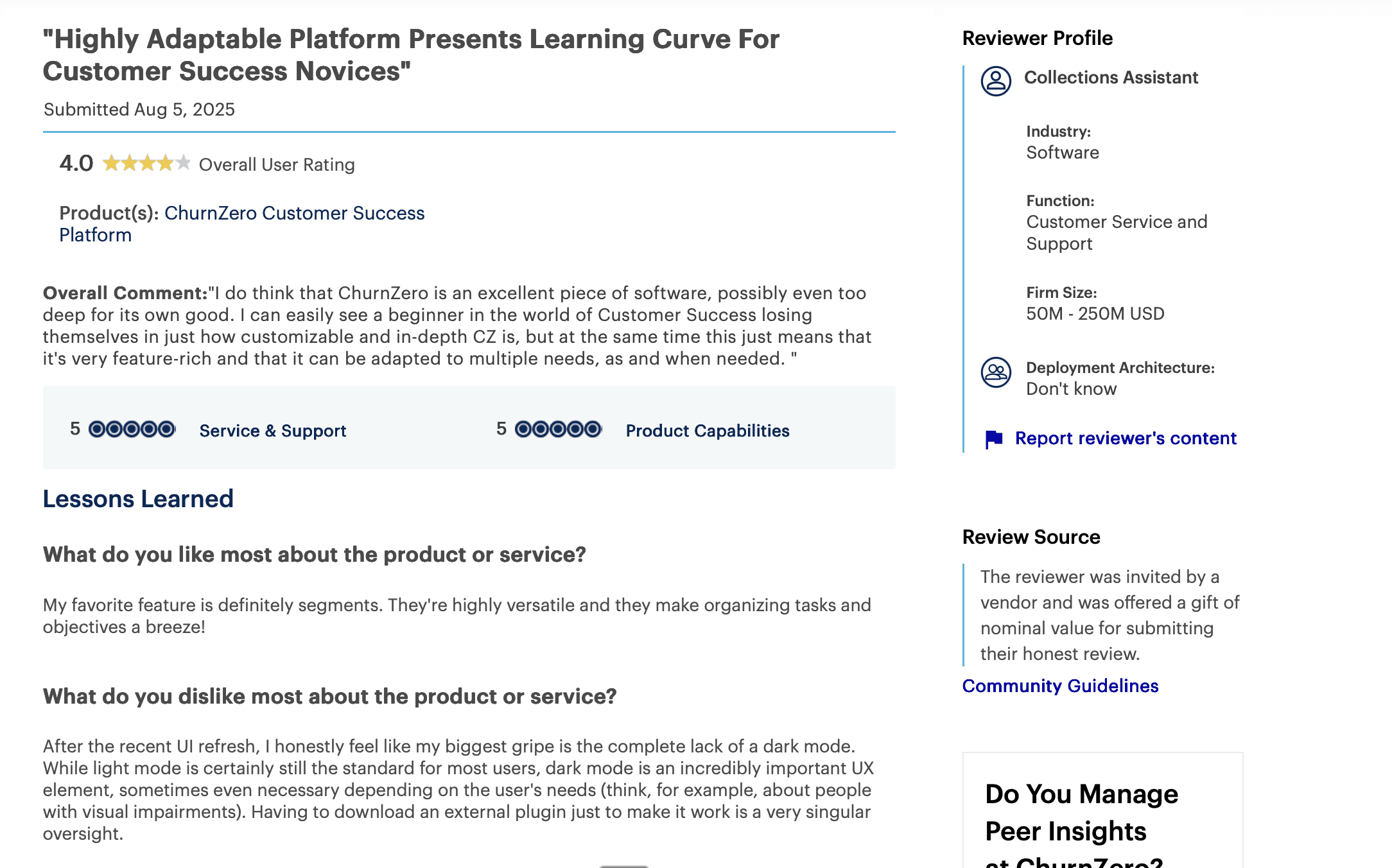
Plays and Journeys are separate features with no cohesive workflow
Creating account-based segments with all necessary data is difficult
Multi-clause reporting requires combining multiple smaller reports
Pricing can escalate as you add modules and contacts
Best Suited For
Mid-market teams with clear customer journeys wanting automation without Planhat's ops requirements or Gainsight's enterprise complexity.
Pricing
$28k–$75k/year
Implementation Time
3 months
5. Totango/Catalyst
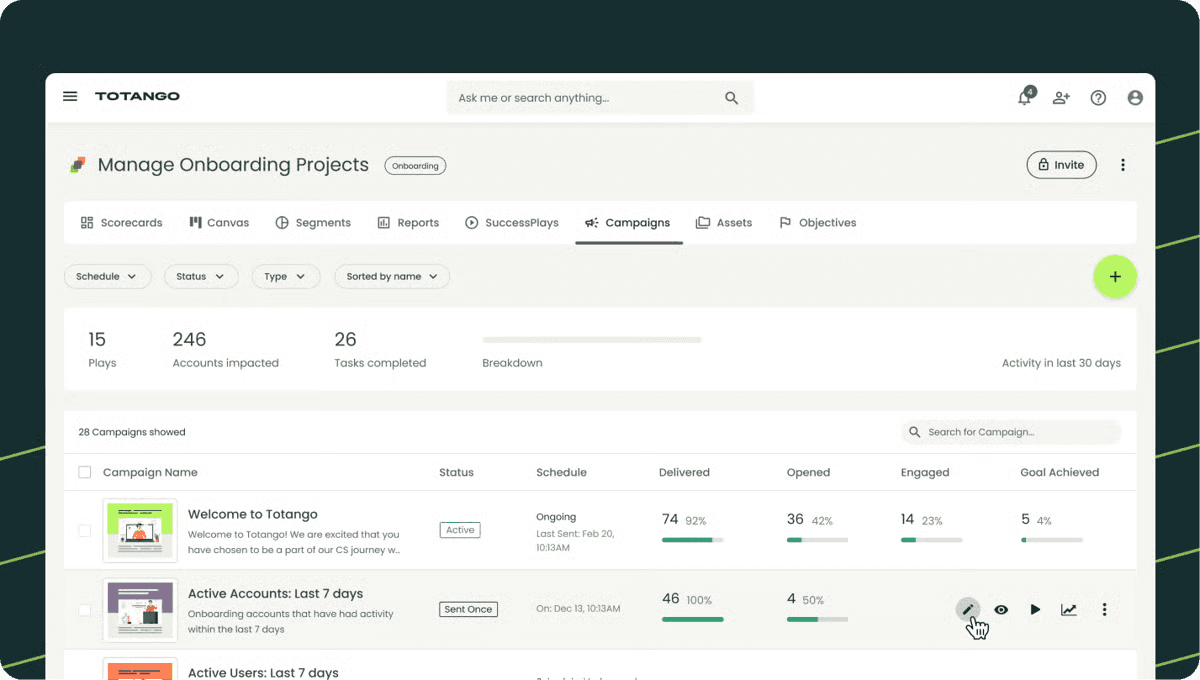
Totango is built for Salesforce-centric organizations where the CRM is the source of truth. Where Planhat is platform-agnostic with broad integrations, Totango goes deep on Salesforce native integration. Best for teams running their entire revenue org on Salesforce.
What Makes Totango Unique
Salesforce-Native: Deep native integration beyond basic sync—CS data flows bidirectionally across your revenue org.
Pre-Built Playbooks: Industry best practices codified into customizable workflows.
Objective Goals: Newly introduced feature focuses teams on measurable outcomes vs. activity tracking.
Multi-Channel Communication: Email, in-app, SMS from one platform.
How it Compares to HQ1
Totango makes Salesforce data accessible; HQ1 makes it intelligent. Both integrate with Salesforce, but HQ1 adds AI that automatically enriches your CRM with insights from conversations, meetings, and tickets. Choose Totango if Salesforce integration is your top priority; choose HQ1 if you want intelligence layered on top.
Drawbacks
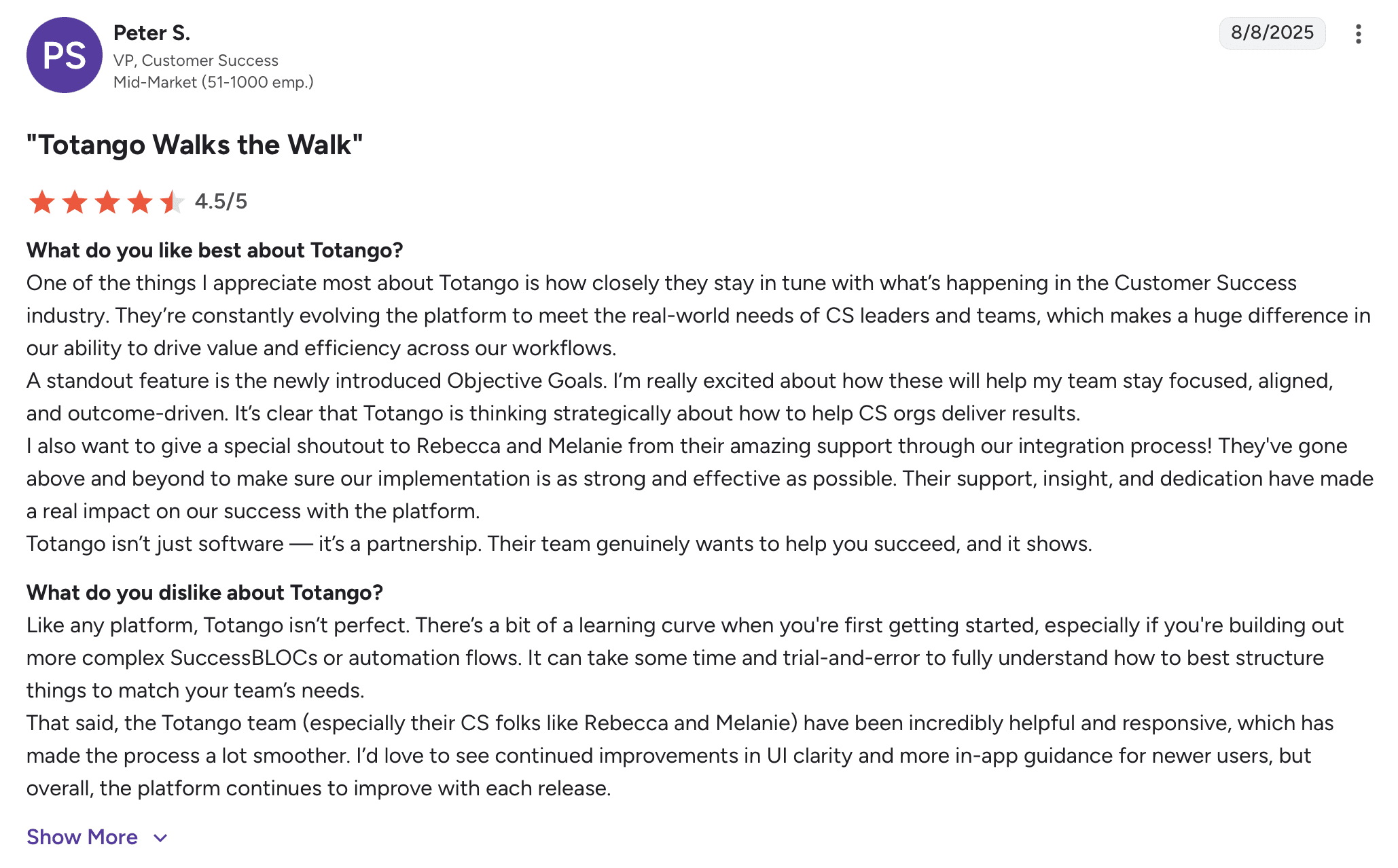
Limited project management for complex customer journeys
Pricing opacity and contract inflexibility frustrate users
Rigid framework doesn't accommodate unique processes
Reporting lacks depth for sophisticated analysis
Best Suited For
Mid-market to enterprise teams where Salesforce is the single source of truth and CS must integrate tightly with Sales.
Pricing
$50k–$150k/year
Implementation Time
2-4 months
6. Custify
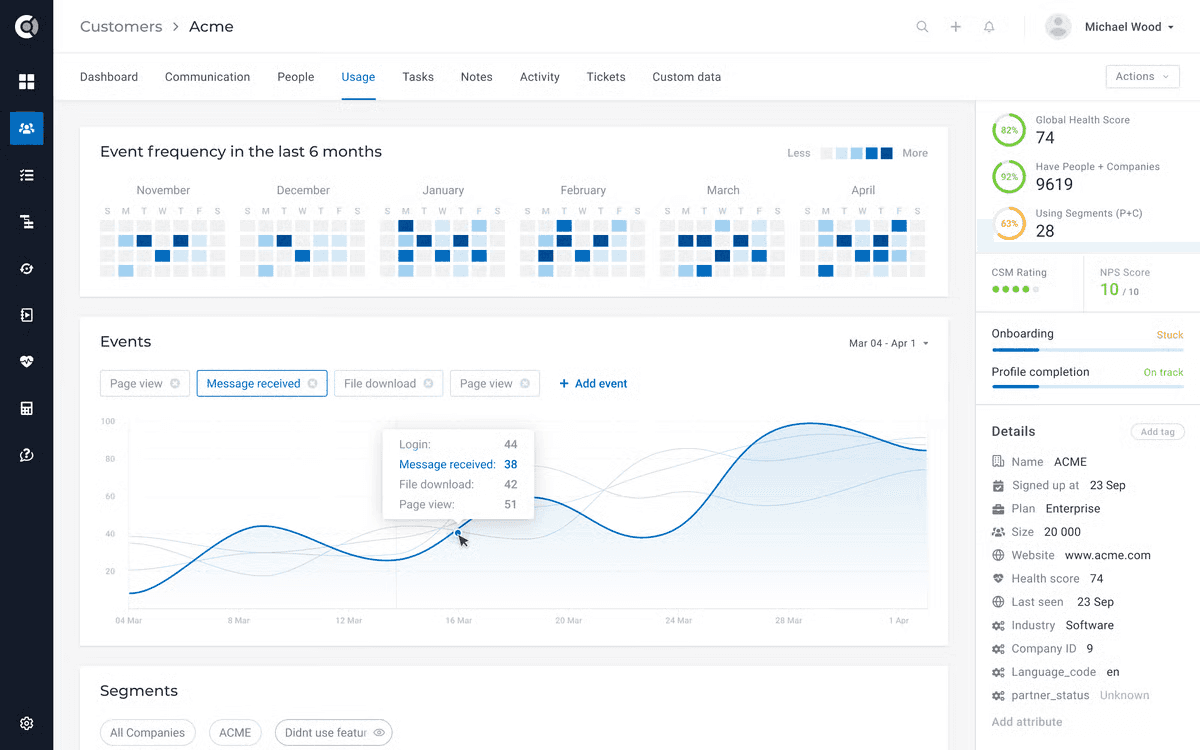
Custify offers Planhat-like customization at mid-market pricing without the complexity or ops requirements. Where Planhat is built for enterprise CS Ops teams, Custify targets mid-market teams wanting flexibility without the burden. Best for companies needing customization but lacking dedicated CS Ops resources.
What Makes Custify Unique
Warehouse Integrations: Connect to Snowflake, BigQuery, Redshift for custom data beyond standard integrations.
Agile Support: Responsive team ships improvements based on feedback—treats customers seriously.
Flexible Health Scoring: Multi-dimensional scores combining usage, support, payments, custom data—weighted per segment.
Mid-Market Pricing: $20k-$60k vs. Planhat's $60k-$180k range.
How it Compares to HQ1
Custify offers customization at reasonable pricing but still requires manual data interpretation and action. HQ1's AI automatically detects patterns, enriches CRMs, and alerts teams. Custify is flexible; HQ1 is intelligent. Choose Custify if you have someone to analyze data; choose HQ1 if you want AI to do that work.
Drawbacks
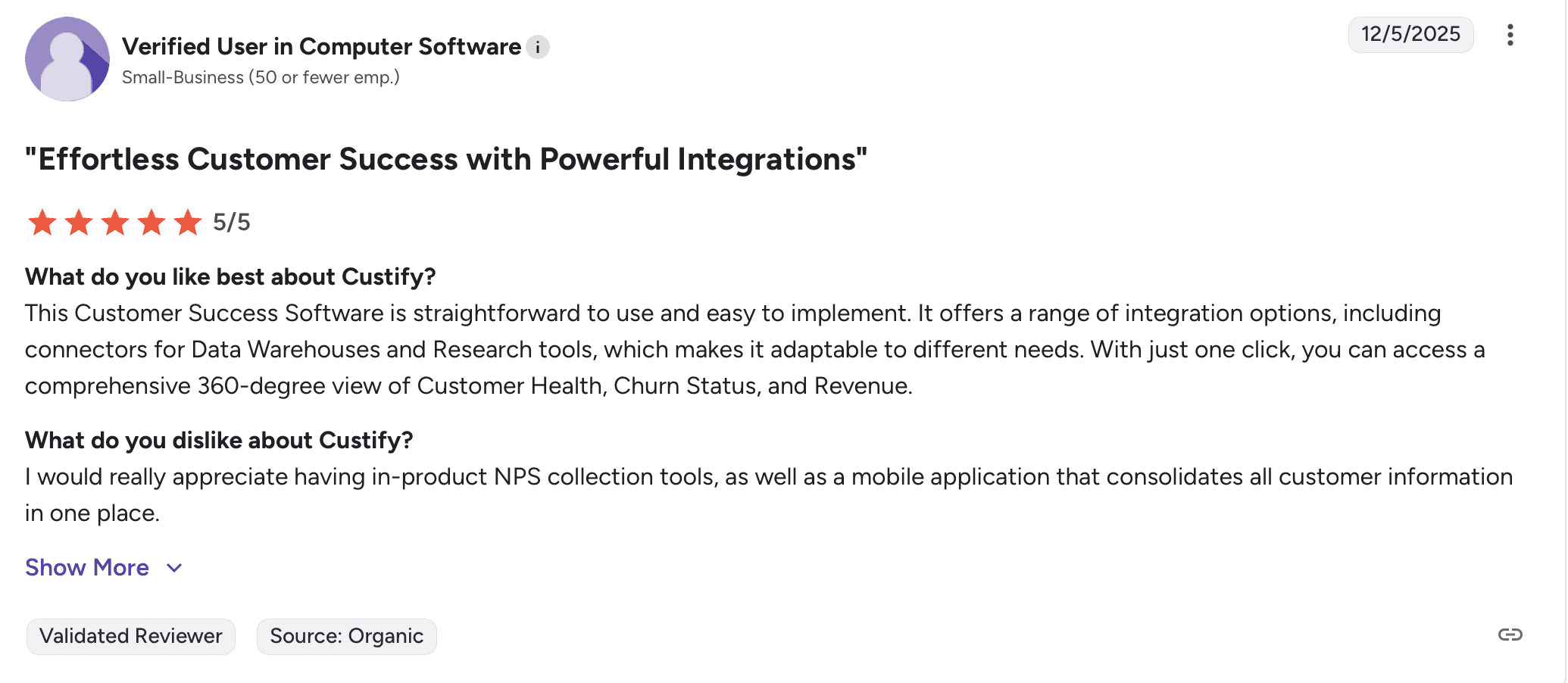
Steep learning curve despite intuitive interface
Missing global revenue dashboard for portfolio insights
Documentation gaps, especially in Playbooks module
EMEA-based support creates time zone challenges for US teams
Best Suited For
Mid-market SaaS with a CS Ops-minded person (not full team) who can thoughtfully configure the platform.
Pricing
$20k–$60k/year
Implementation Time
4-8 weeks
7. ClientSuccess
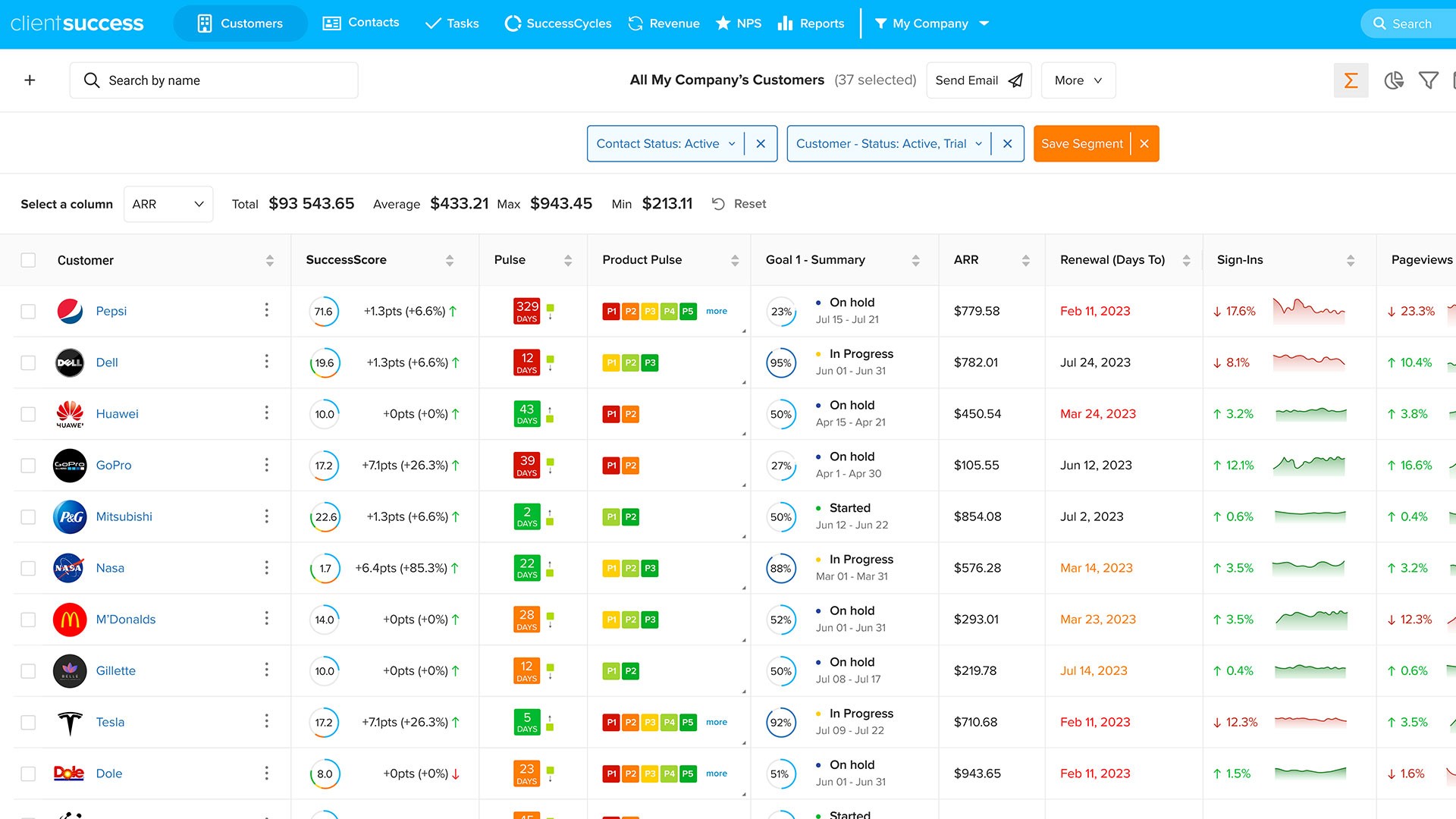
ClientSuccess is the straightforward, affordable alternative for teams that find Planhat's customization overwhelming. Where Planhat offers enterprise features at enterprise pricing, ClientSuccess offers core CS functionality at startup pricing. Best for small teams needing basics without complexity.
What Makes ClientSuccess Unique
Lowest Price Point: $8k-$34k annually—fraction of Planhat's cost.
Email Sync: Communication automatically syncs ensuring continuity during CSM transitions.
Quick Deployment: 2-4 weeks to productivity without technical expertise.
No Feature Bloat: Core CS functionality without overwhelming options.
How it Compares to HQ1
ClientSuccess offers basics at the lowest price; HQ1 costs more but delivers AI intelligence ClientSuccess can't match. ClientSuccess is like hiring a coordinator; HQ1 is like hiring an analyst. If budget is your only constraint and you have <50 customers, ClientSuccess works. If CS should drive revenue, invest in HQ1.
Drawbacks
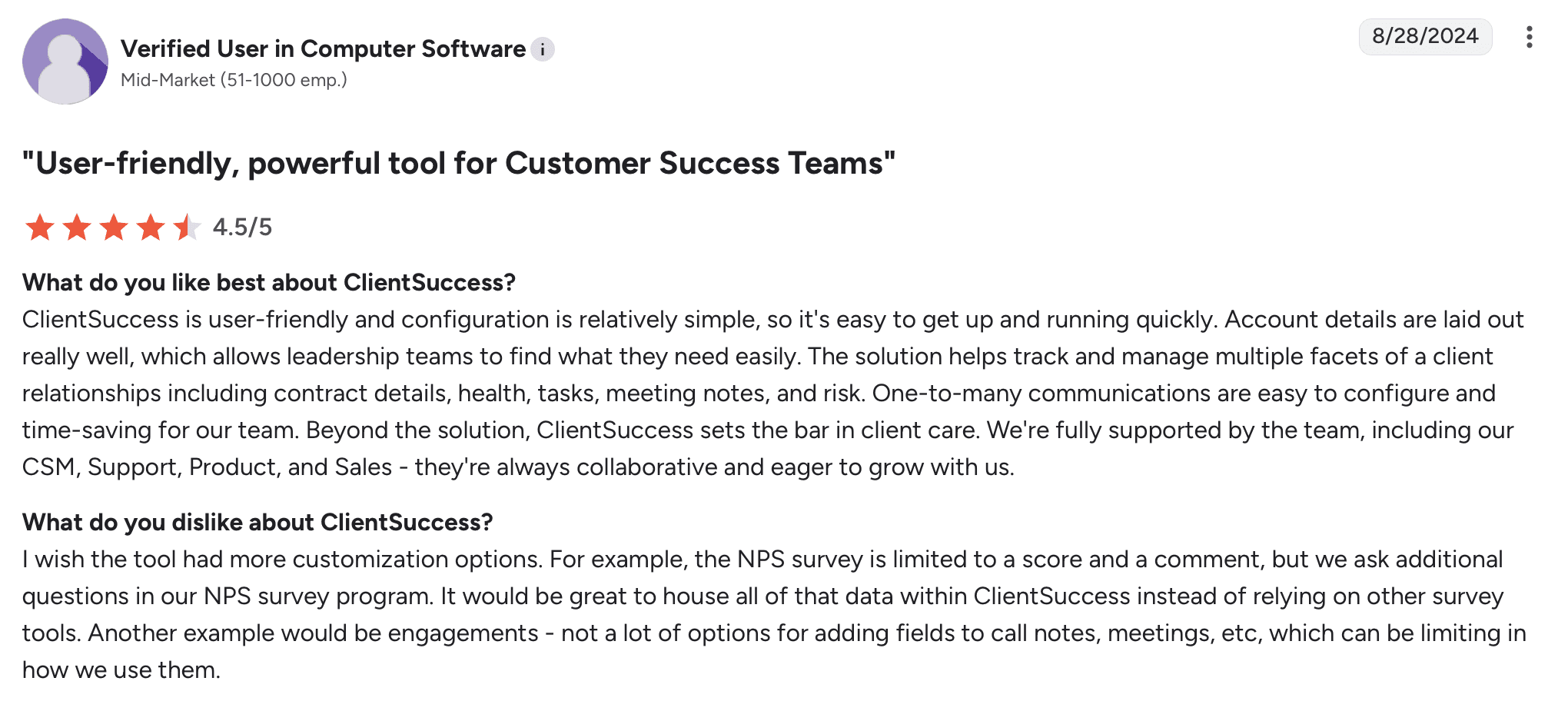
Doesn't scale for enterprises or complex requirements
Limited integrations vs. Planhat's extensive connectivity
Features like NPS can't be customized beyond score + comment
No native product usage tracking
Best Suited For
Small CS teams (<10 CSMs) with straightforward requirements needing core functionality affordably.
Pricing
$8k–$34k/year
Implementation Time
2-4 weeks
8. Pylon

Pylon is the king at Slack-native support but is expanding into CS territory. Where Planhat is a comprehensive CS platform, Pylon is a support tool growing CS features. Best for Slack-centric teams prioritizing conversation management over deep customer intelligence.
What Makes Pylon Unique
Slack-Native Workflows: Everything happens in Slack - no tool switching for Slack-first teams.
Fast-Moving Team: New features ship rapidly based on user feedback.
Modern UI: Clean, intuitive interface easy for non-technical users.
Low Setup Friction: Productive in days without heavy ops or data engineering.
How it Compares to HQ1
Pylon manages conversations; HQ1 understands and acts on them. Pylon helps you respond faster; HQ1 tells you what to do next - flagging churn risks, alerting about expansion, updating CRMs automatically. Pylon is for support teams; HQ1 is for revenue teams.
Drawbacks
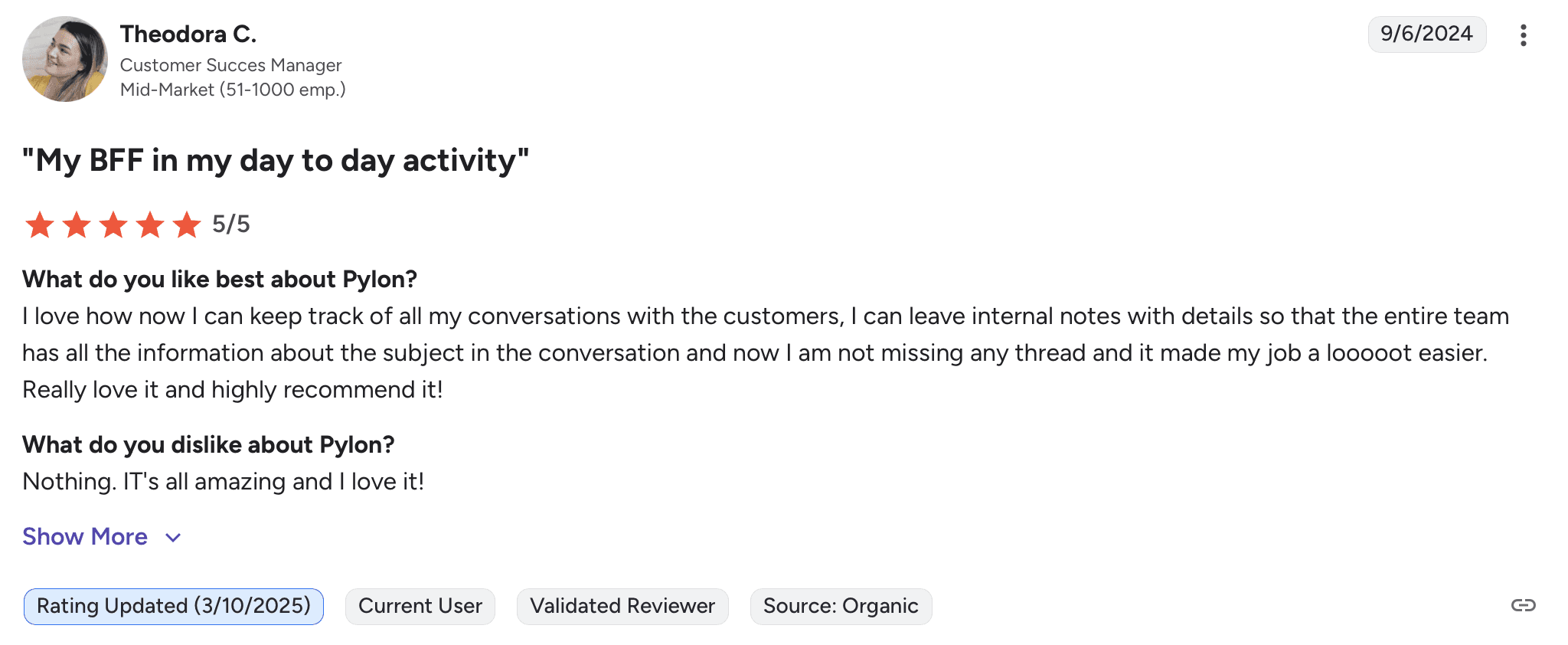
Support-first foundation—CS features feel secondary
Shallow customer intelligence vs. Planhat's deep analytics
Limited customization for complex CS workflows
Pricing model changes frequently creating budget uncertainty
Best Suited For
Small to mid-market teams with Slack-centric workflows prioritizing support efficiency over CS sophistication.
Pricing
~$100/seat/month + AI add-ons
Implementation Time
1-3 weeks
9. Catalyst
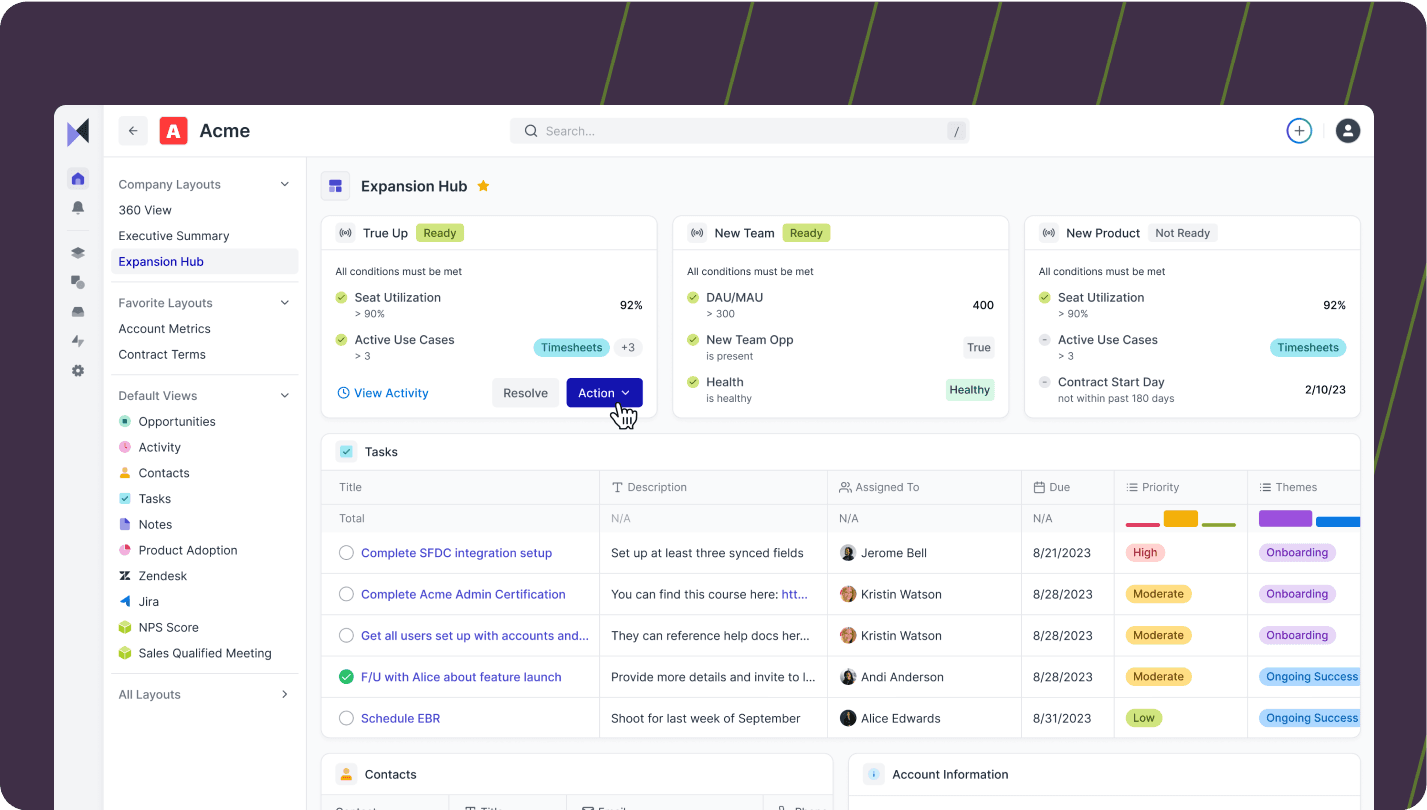
Catalyst focuses on relationship intelligence and communication workflows. Where Planhat emphasizes data and customization, Catalyst emphasizes human relationships and collaboration. Best for high-touch CS models where relationship quality matters more than automation.
What Makes Catalyst Unique
Relationship Mapping: Visual stakeholder maps showing who knows whom and relationship strength.
Collaboration-First: Built for CS teams that work closely with Sales, Support, and Product.
Communication Tracking: Automatically surfaces communication gaps and engagement patterns.
Modern Interface: Clean, intuitive design prioritizing usability.
How it Compares to HQ1
Catalyst focuses on relationship tracking; HQ1 focuses on revenue intelligence. Catalyst shows you who's engaged; HQ1's AI tells you what engagement patterns mean for churn and expansion. Choose Catalyst for relationship visibility; choose HQ1 for actionable intelligence.
Drawbacks
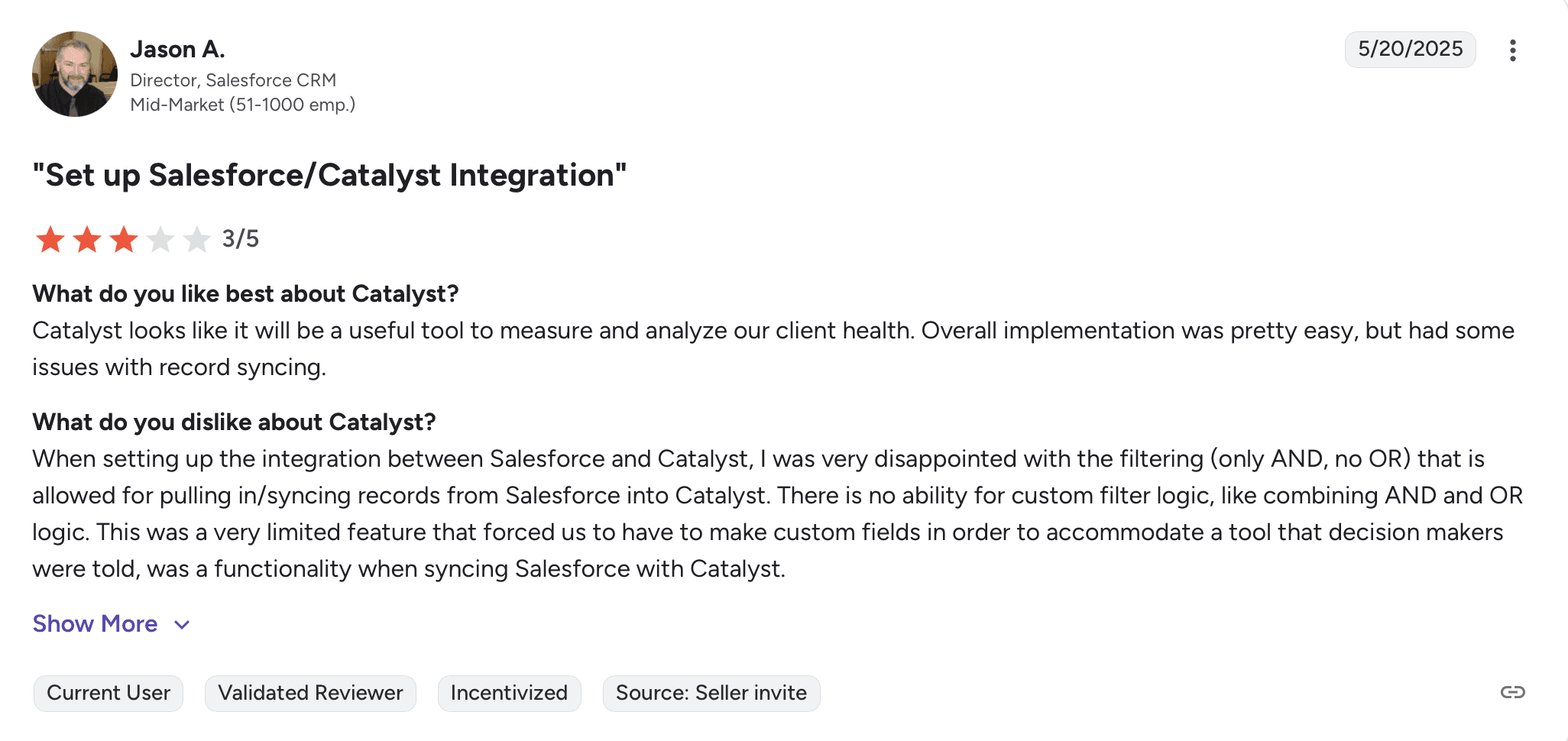
Limited product usage tracking vs. Planhat's comprehensive analytics
Smaller feature set overall compared to established platforms
Newer platform means less mature integrations and community
Pricing and feature set still evolving as product matures
Best Suited For
Mid-market teams with high-touch models where relationship mapping and collaboration matter more than deep analytics.
Pricing
On request
Implementation Time
2-4 weeks
10. Zapscale

Zapscale positions itself around predictive analytics—flagging risks and opportunities before they're obvious. Where Planhat gives you tools to analyze, Zapscale's AI analyzes for you. Best for data-driven teams, though organizational instability raises concerns.
What Makes Zapscale Unique
Predictive Churn Analytics: AI models flag churn risk before obvious distress signals.
Growth Detection: Identify expansion opportunities from adoption and sentiment patterns.
Easy Setup: Straightforward implementation vs. Planhat's lengthy process.
Workflow Automation: Reduce manual effort to keep CSMs focused on high-value activities.
How it Compares to HQ1
Zapscale predicts what might happen; HQ1 acts on what's happening. Zapscale flags risks; HQ1 automatically updates CRMs, creates tasks, alerts teams. Plus, recent organizational instability at Zapscale makes HQ1 a safer long-term bet.
Drawbacks
Website demo broken; employee departures signal organizational challenges
Automated triggers generate excessive tasks making prioritization hard
Limited customization for complex business models
Analytics depend heavily on pristine data and integrations
Smaller market presence raises viability concerns
Best Suited For
Small to mid-market data-driven teams with clean data infrastructure and strong engineering support.
Pricing
On request
Implementation Time
3-6 weeks
Making the Right Choice
Planhat excels when you have CS Ops resources and want maximum customization. But as CS evolves from data analysis to automated action, teams need platforms that don't just show beautiful dashboards—they need AI that acts on the data.
Choose HQ1 if you:
Want Planhat's intelligence without the ops burden
Need AI that acts automatically, not just reports insights
Want 4-10 day implementation vs. 8-16 weeks
Don't have (or don't want) dedicated CS Ops teams
Need to scale CS impact without scaling operational overhead
Choose another platform if:
You have CS Ops and love deep customization → Stay with Planhat
You need enterprise governance at massive scale → Gainsight
You're pure PLG with no sales motion → Vitally
You're Salesforce-centric → Totango
You need basics affordably → ClientSuccess
You're Slack-first support team → Pylon
The fundamental question isn't "which platform has the most features?" It's "does your team configure dashboards or does your platform act on the data for you?"
Planhat gives you beautiful, customizable dashboards. HQ1 gives you intelligence that acts. The platforms replacing Planhat aren't trying to be more customizable—they're trying to eliminate the need for customization by delivering intelligence that works out of the box.
Related Articles & Fresh Insights
Keep exploring new perspectives, in-depth guides, and expert opinions, carefully curated to help you stay informed, inspired, and confident in every real estate decision.


Close more. Churn less. Grow continuously.
Unlock AI-driven enablement for your Sales and Customer Success teams — drive conversions, boost retention, and scale faster with HQ1.
